
FAQ
FAQ
We recommend all users upgrade to OrgChartX - our modern app for iPhone, iPad, Mac, and Vision Pro. It can import files from legacy OrgChart apps. This website remains available to support users who continue using the legacy apps.
This site continues supporting legacy OrgChart apps.
The best practice to create organization chart quickly?
We prefer to create the new organization chart using OrgChart for macOS first, and then to sync the chart document to the iOS devices via iCloud Drive
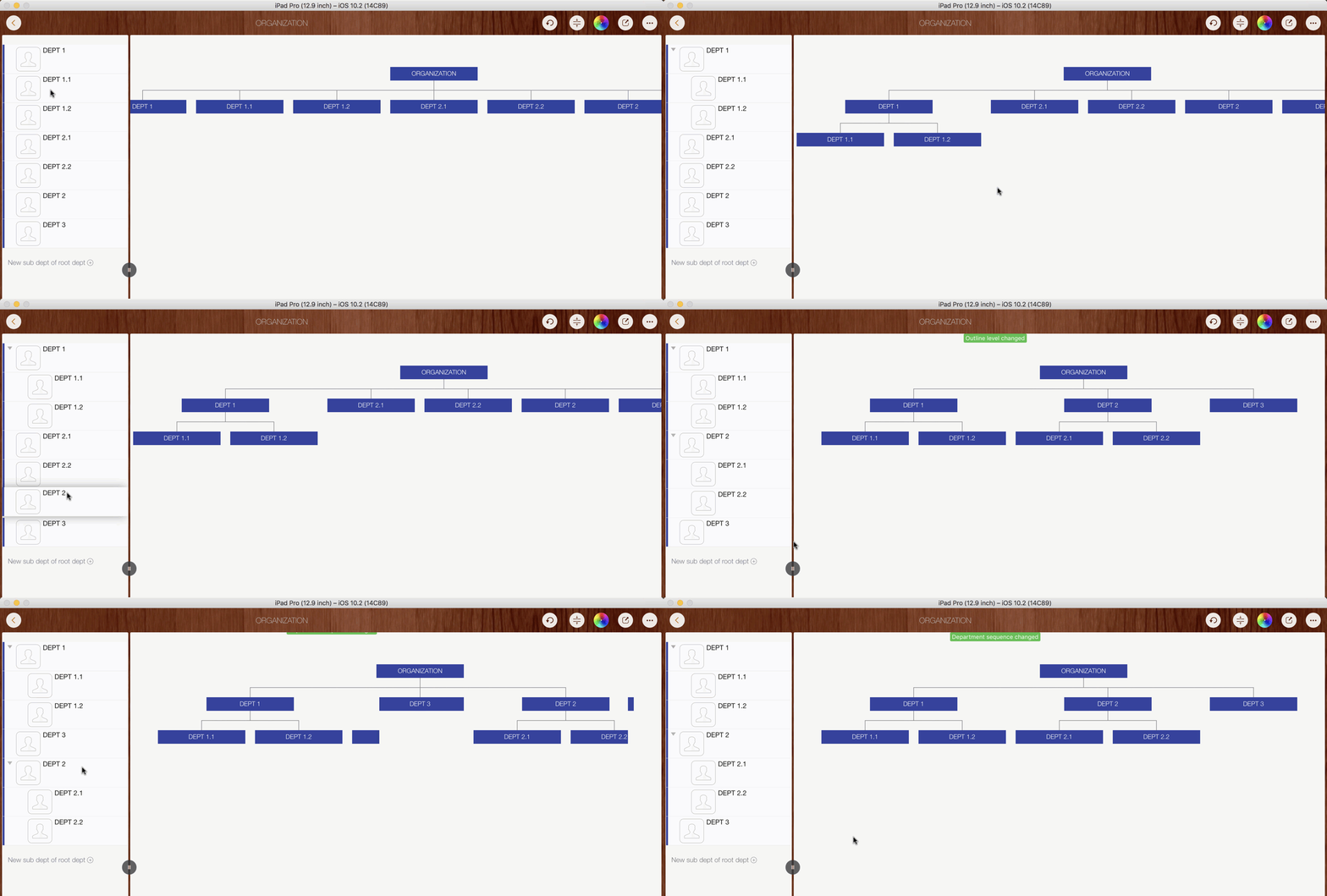
We can also to create a new organization chart on the iPad / iPhone efficiently:
Adjusting the tree structure in the chart panel may seem intuitive, but changing the structure in the outline panel is more efficient
The best practice to change department visual style quickly on chart panel?
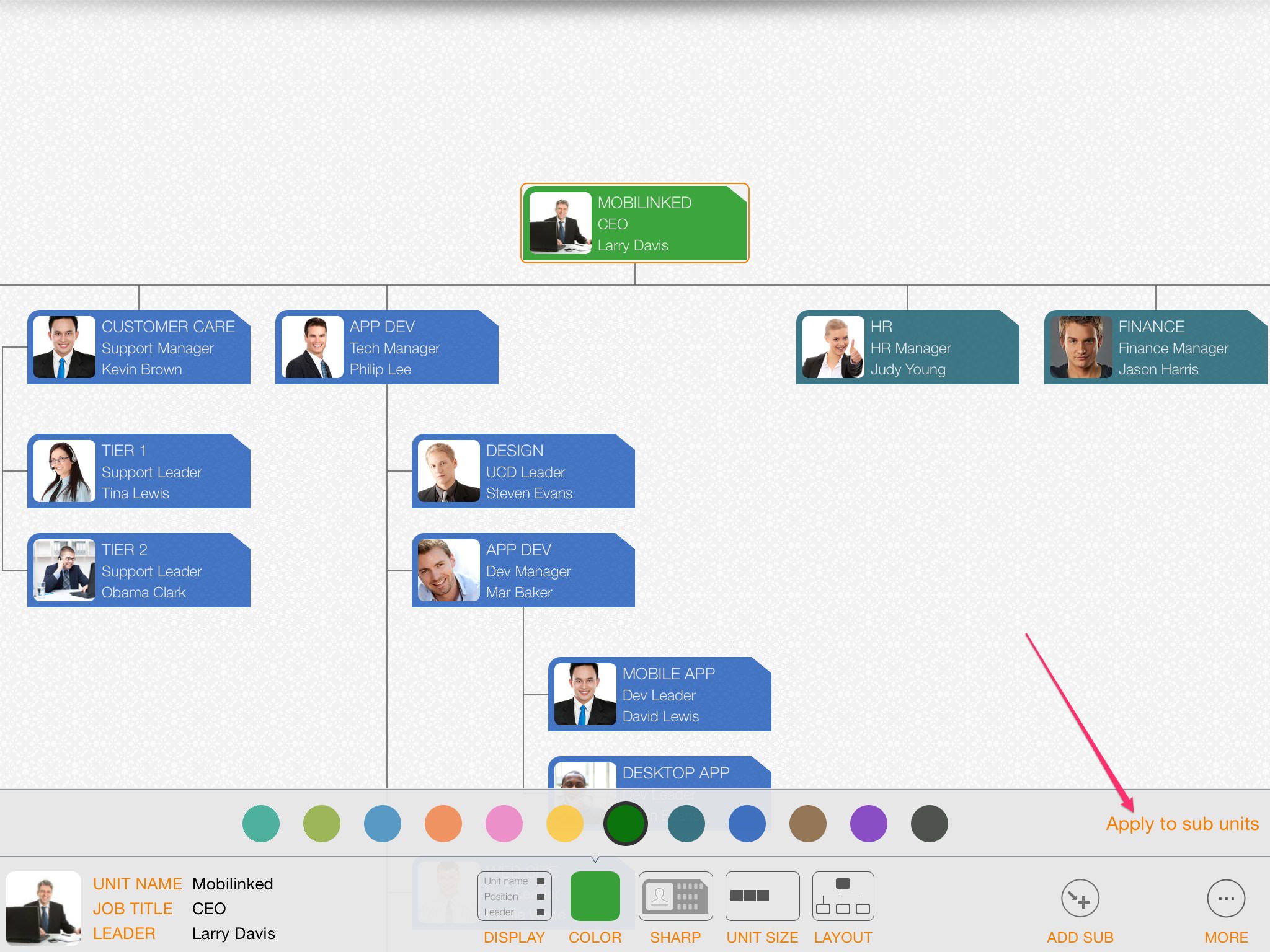
OrgChart automatically draws department blocks based on the visual styles specified by the user.
The display style of a parent department can be applied easily to all child departments. For example, if you need to change the color of all children under a specific parent, change the parent color first, then tap the “apply to children” button to update all child departments.
The "apply to children" feature can greatly improve maintenance efficiency, especially when building large and complex organization charts.
For TREE structure only?
Yes, OrgChart app is for tree structure of organization chart only
(OrgChart is help to create the organization chart super efficiently, by avoiding drawing. For non-tree structure of organization chart, the computer has no way to know how to draw them in correct position, before the AI technology be improved much, we have to draw the non-tree structure using the drawing apps)
How to create direct reporting relationship between departments with level gap > 1?
OrgChart organizes departments in a tree structure, except the top level department, every department should connect and only can connect to one parent department.
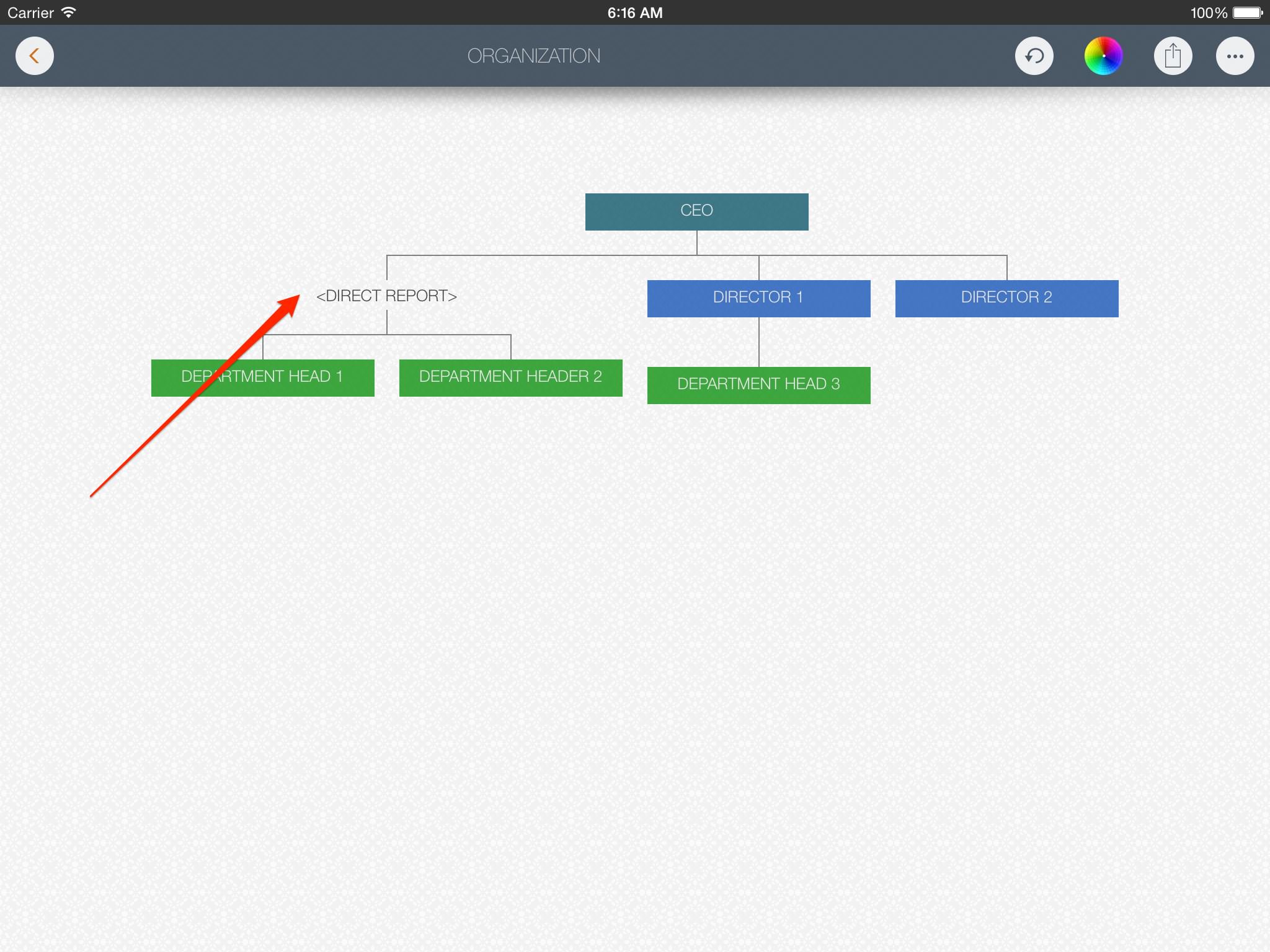
For the case, if we have reporting relationship that the organization level of the child department is lower more than parent department. For example a three levels of organization structure:
For this case, we can add a virtual department (with different display style) between the CEO and the department heads, as following an example:
How to create assistant relationship?
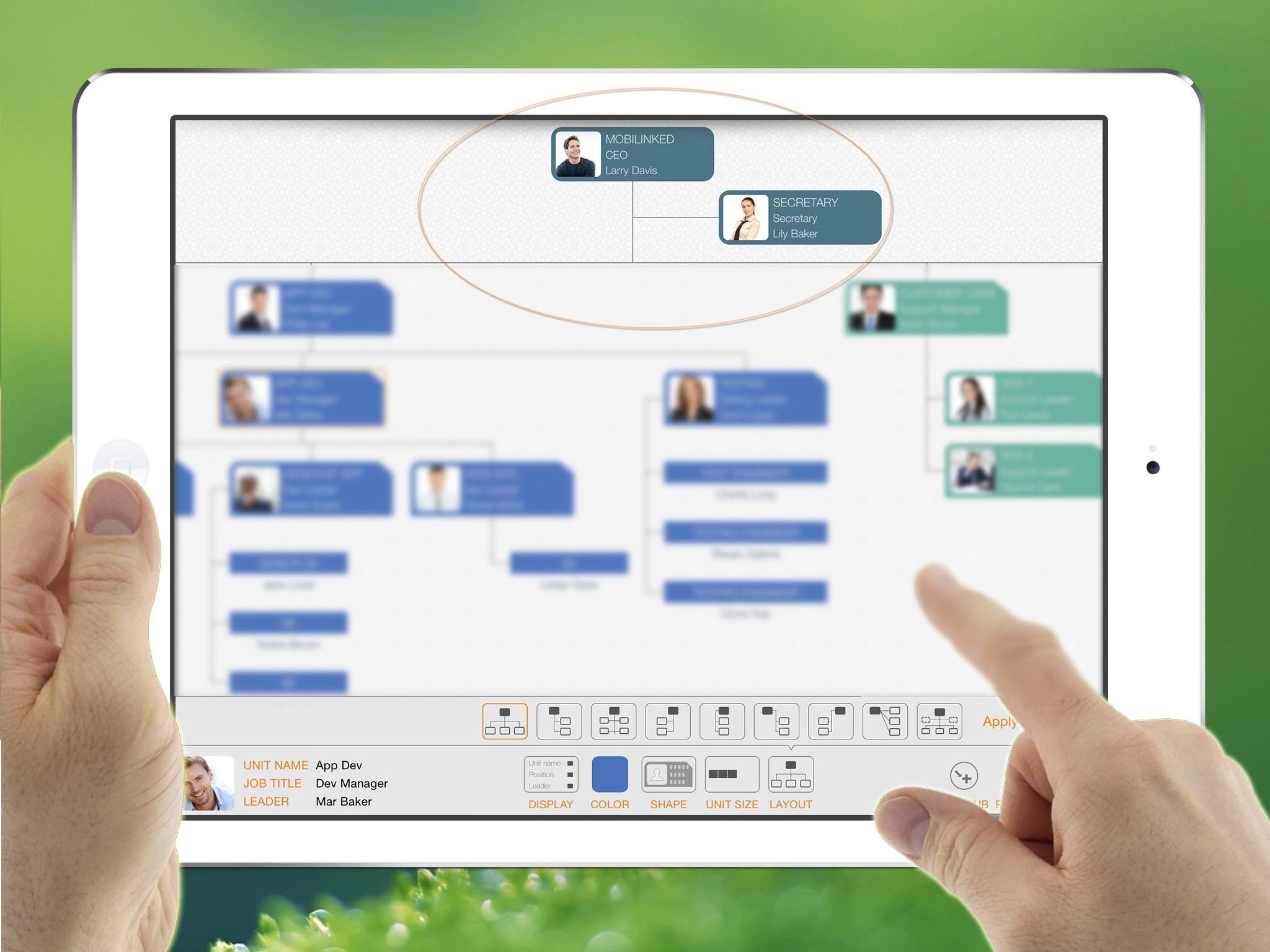
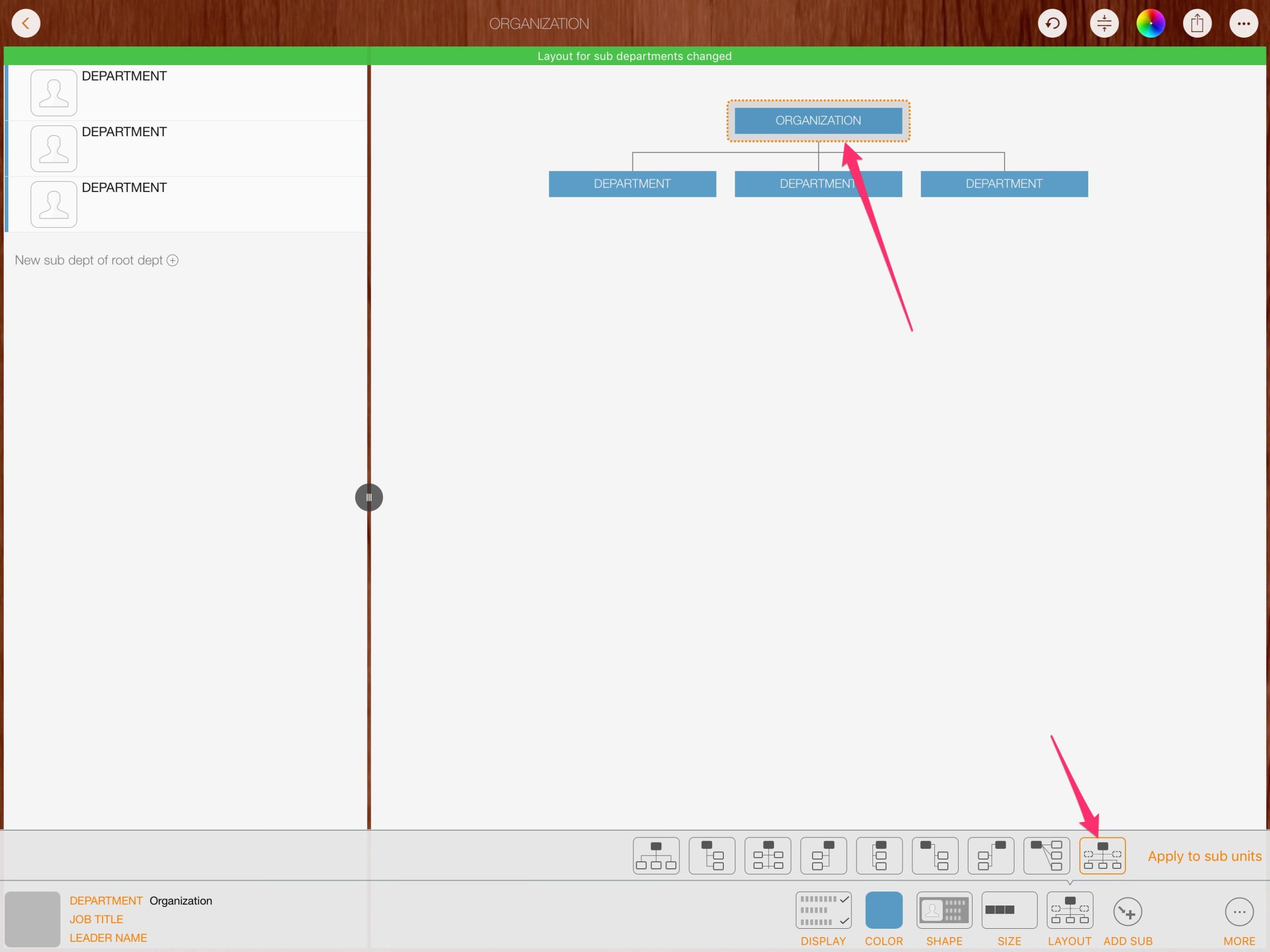
Select the parent department, and to change the layout (which defines how to lay out children)
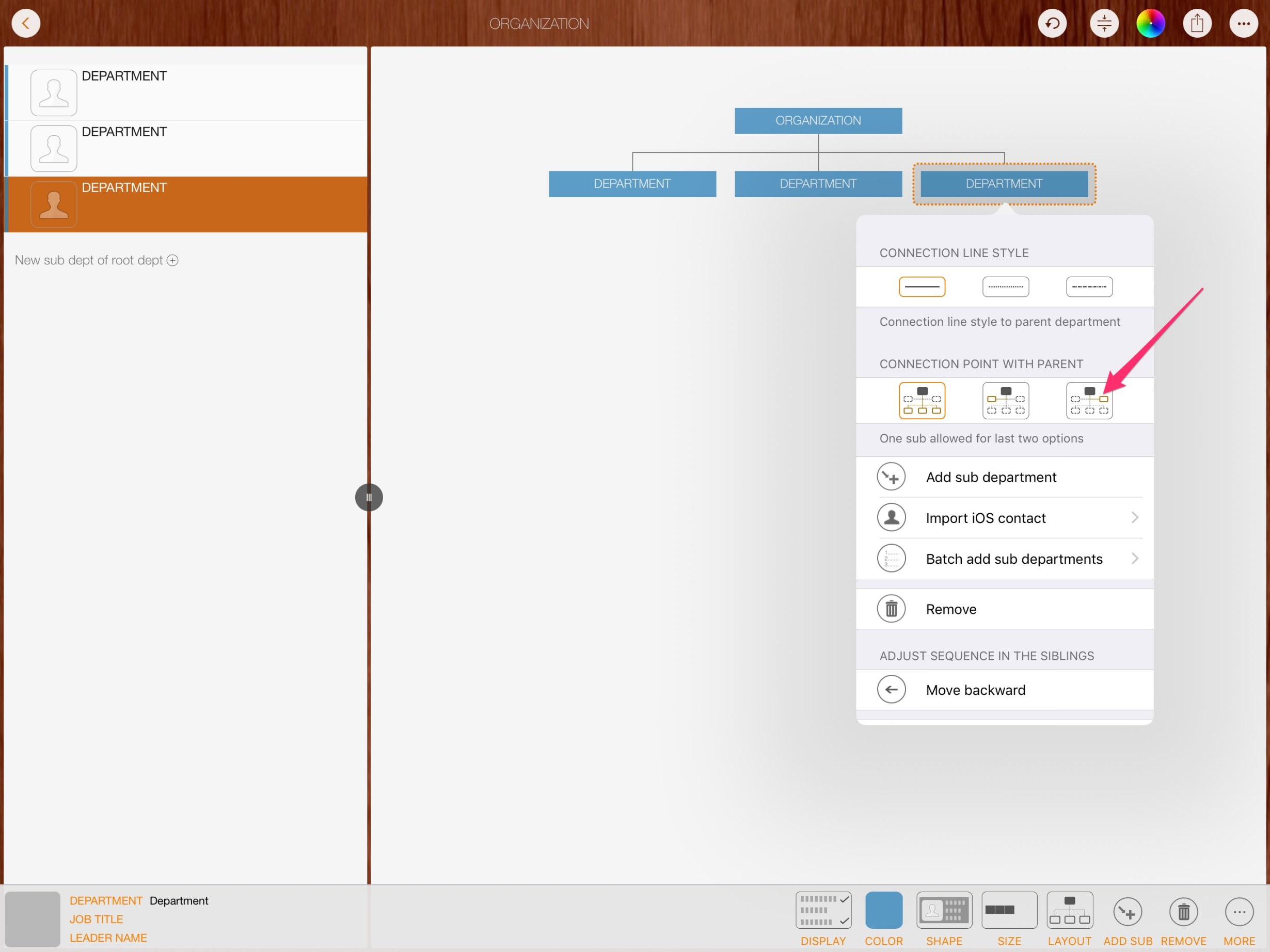
Long press on a child department, to change the connection point
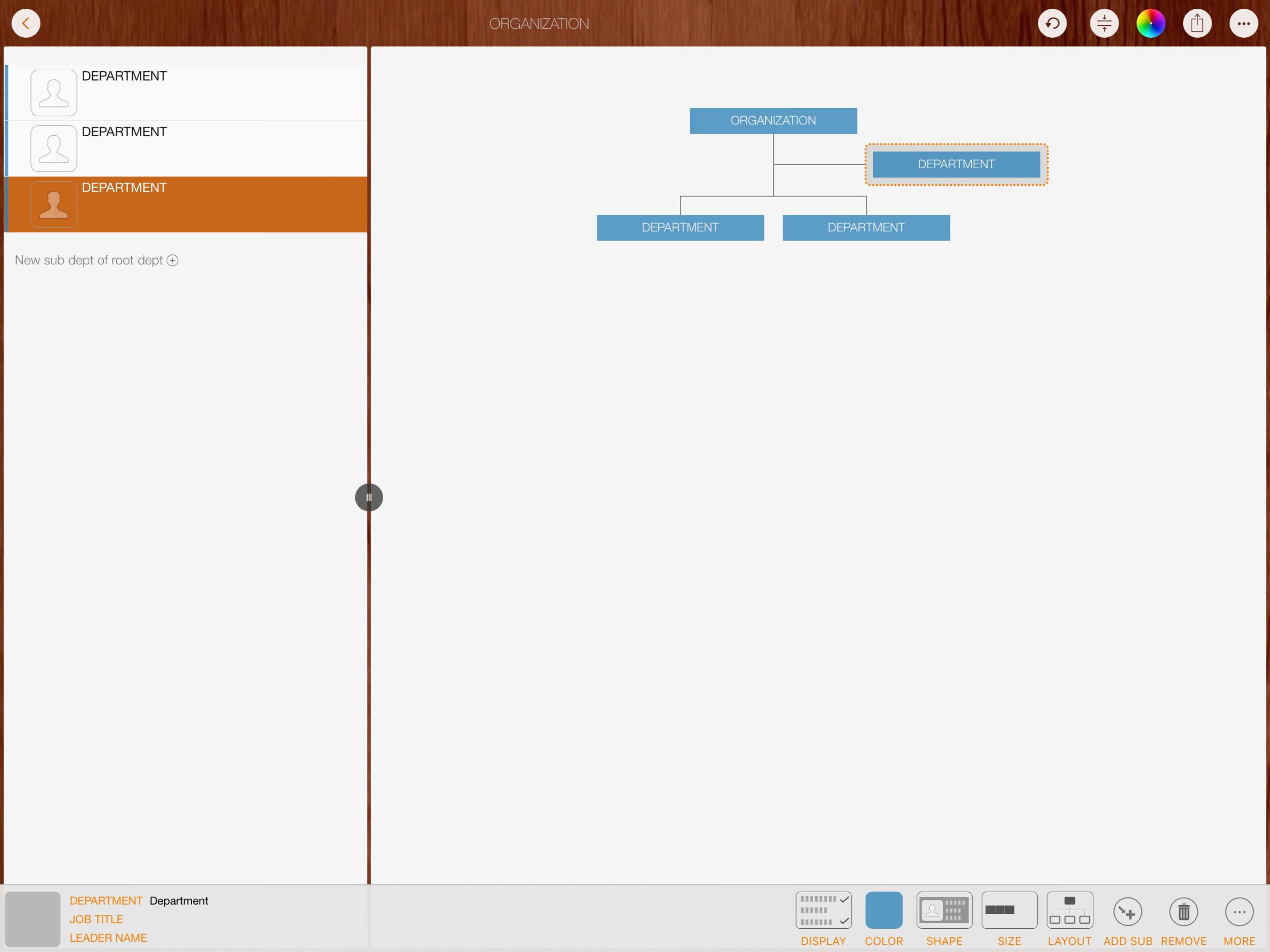
Done!
How to input departments quickly?
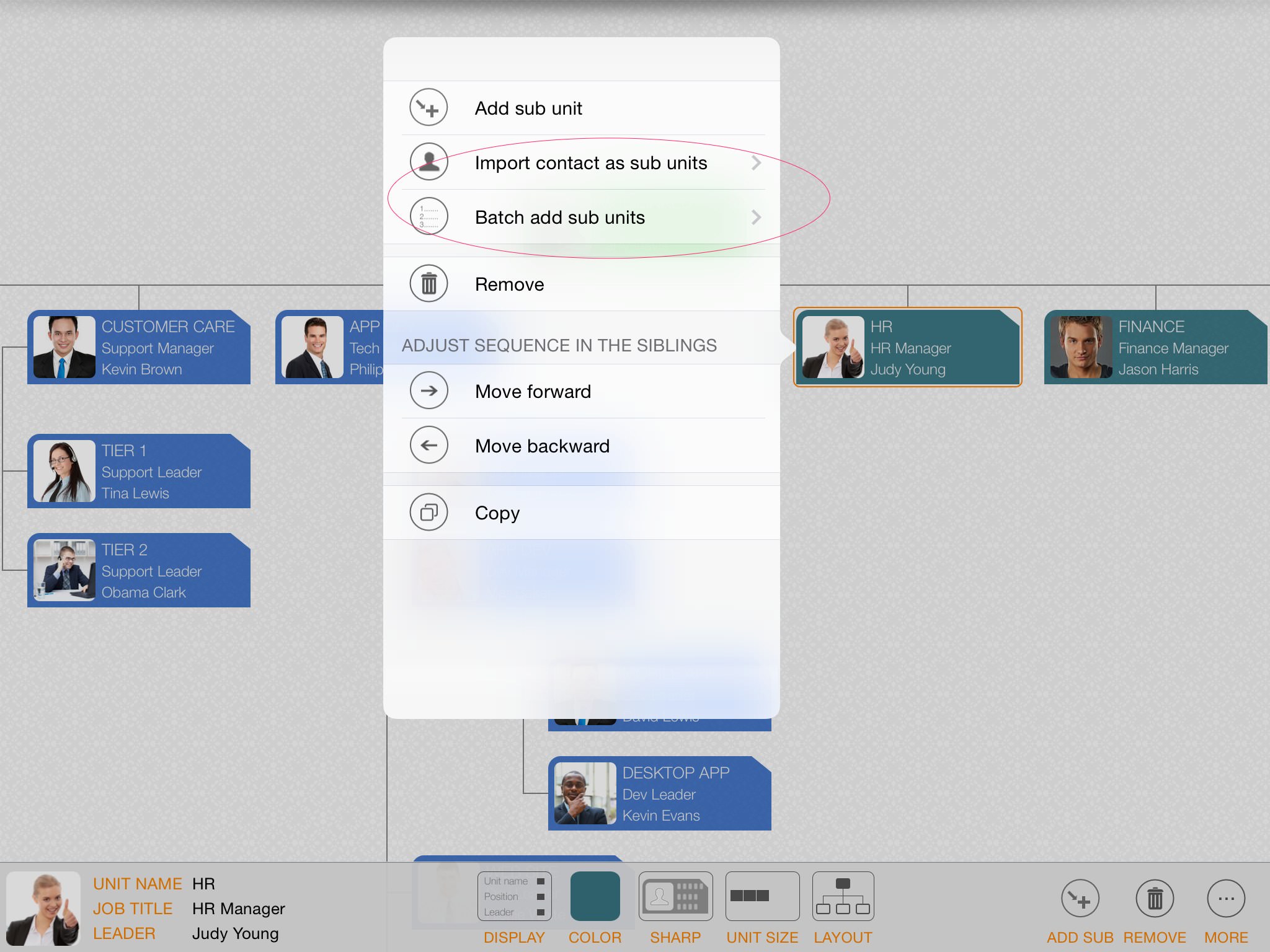
Or try "batch input" to enter or paste multiple lines of text and create multiple departments at once. (A useful approach is to prepare text on a PC or Mac, send it to your iPad via email or another third-party app, then paste it into the batch input view.)
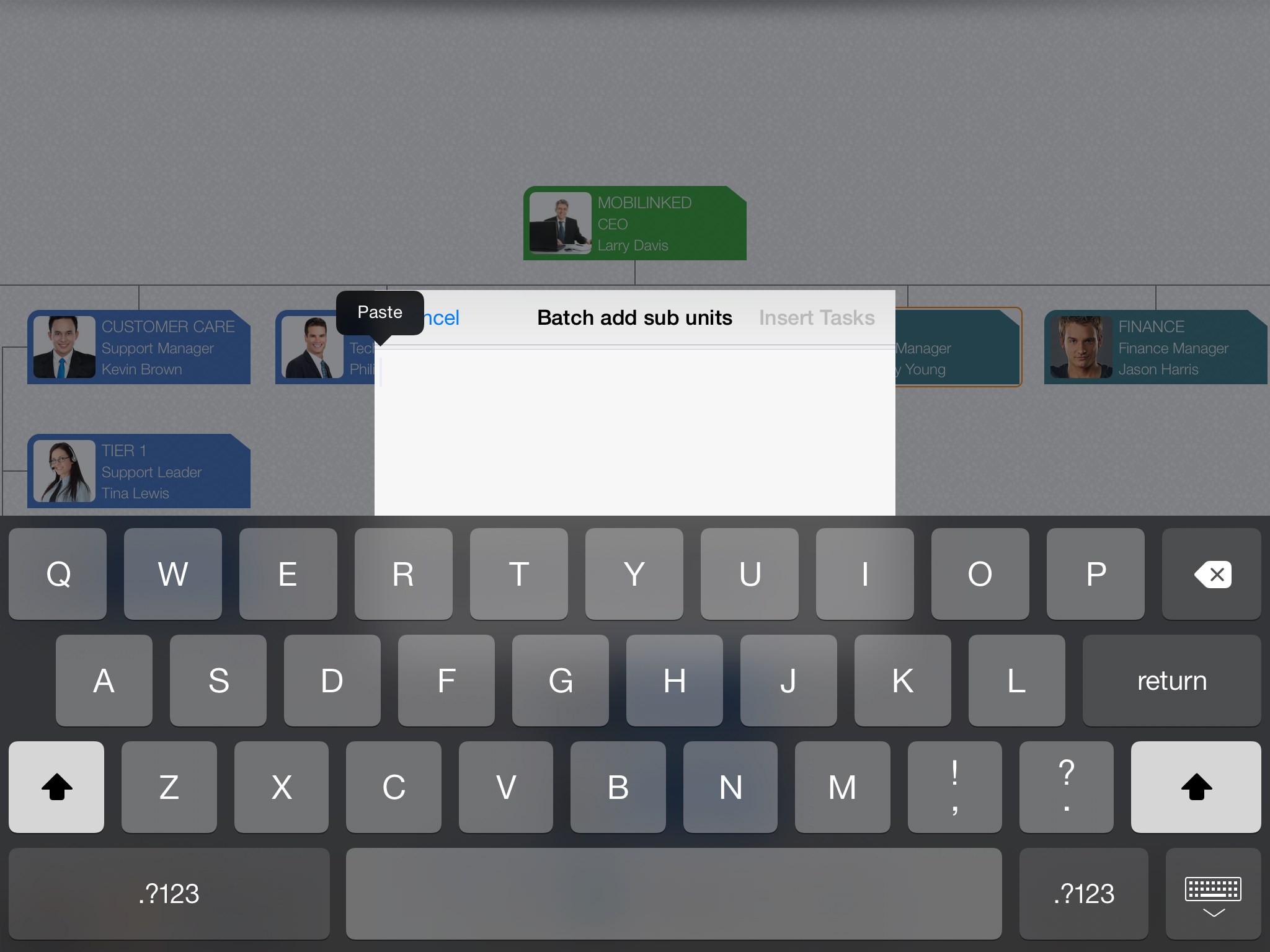
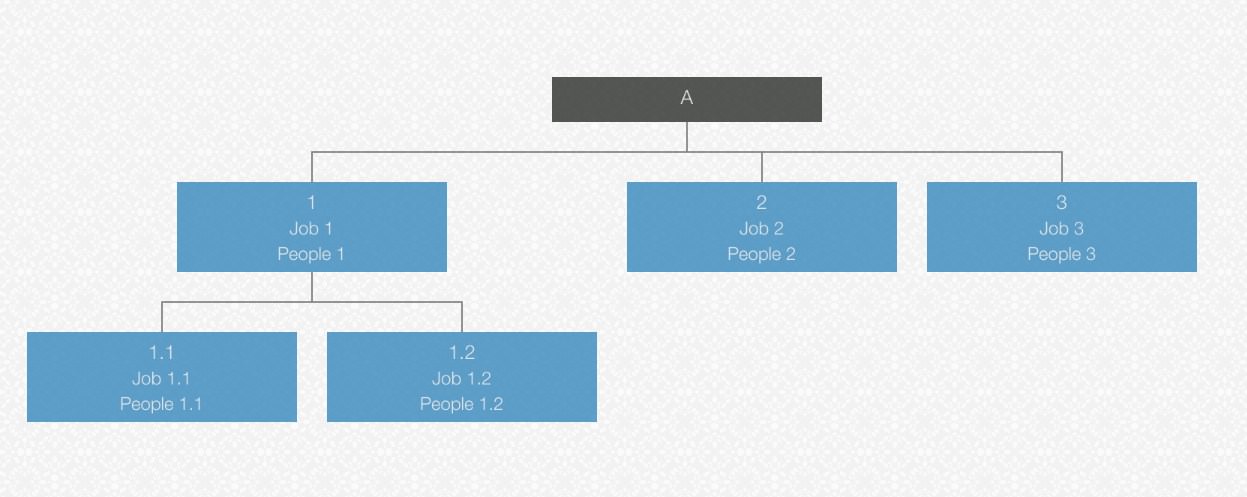
Enter department names line by line. Add spaces at the beginning of each line to adjust hierarchy, and separate unit properties with “/” in each line. For example, if you need to add sub-departments under department “A”, create the hierarchy below:
– Long-press unit “A” to display the function menu
– Tap “Batch add sub units”
– Enter text (or copy text prepared on another device, such as a PC, and paste it here) as follows
1/Job 1/People 1
 1.1/Job 1.1/People 1.1
 1.2/Job 1.2/People 1.2
2/Job 2/People 2
3/Job 3/People 3
(Please note that there is a leading space at the beginning of the second and third lines to define the outline level.)
The key is to reduce slow typing on iOS devices.
Can't find the exporting button when using OrgChart on the iPhone?
The toolbar is scrollable, please pan the toolbar to right.
Can the left panel (outline panel) be hidden on the iPad?
Tap or pan on the splitter button between the outline and the chart panels.
Can all the groups be collapsed together?
Tap with TWO fingers (it’s NOT the double-tap) on the chart panel to collapse/expand all groups together.
How to sync across devices?
OrgChart supports syncing organization chart files through iCloud Drive. Please check the details
App Purchasing, Downloading, Installation and Updating issues.
The developer and the app has no control on app purchasing, downloading, installation and Updating. Click to access Apple Support Website
How to get a refund
We are sorry, but we can not issue a refund directly as the purchases and refunds are handled only by the Apple App Store, and you can request one by reporting a problem to Apple, and get more help from Apple support. There are also many articles related we can search via Google.com
2026 © COPYRIGHT SWIFT APPS | All Rights Reserved
Swift Apps