
Create Departments
Create Departments
We recommend all users upgrade to OrgChartX - our modern app for iPhone, iPad, Mac, and Vision Pro. It can import files from legacy OrgChart apps. This website remains available to support users who continue using the legacy apps.
This site continues supporting legacy OrgChart apps.
There are several ways to create new departments
Click the “Create new department” button at the bottom of the outline panel to continuously enter department names
Or in the chart panel, select a department and click the “+” button to add a child.
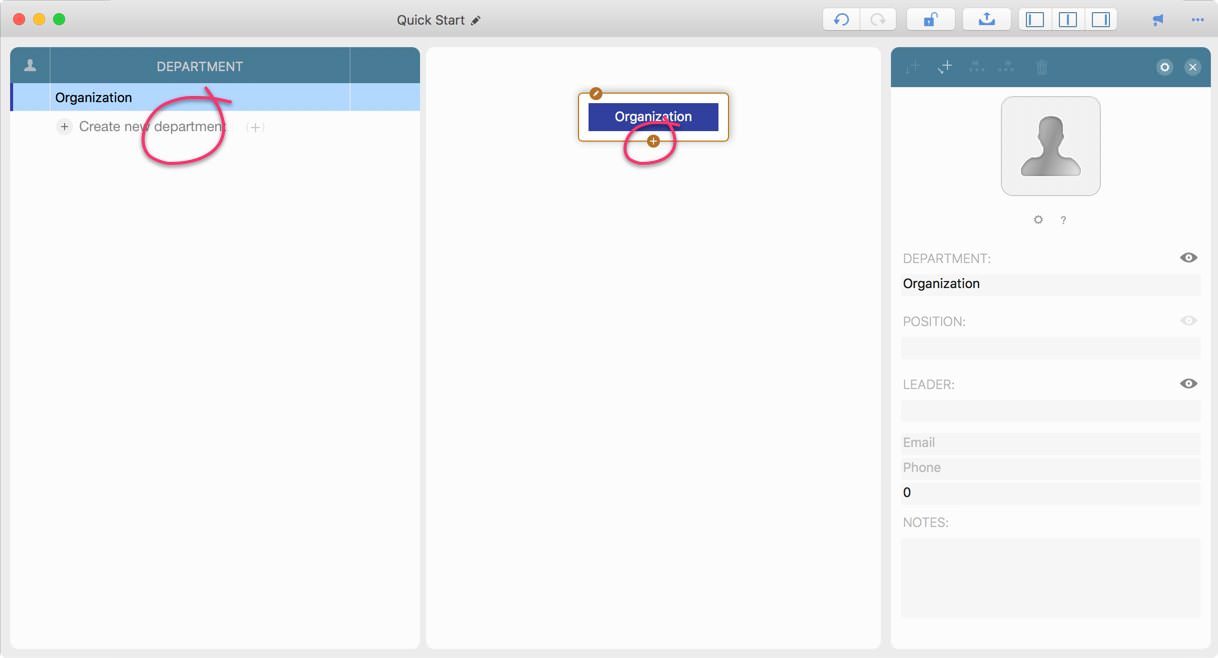
Select a department, then press the “+” key to add a new child department. The new department will be selected.
(For convenience: with this method, the new department is selected; the previous method does not change the current selection.)
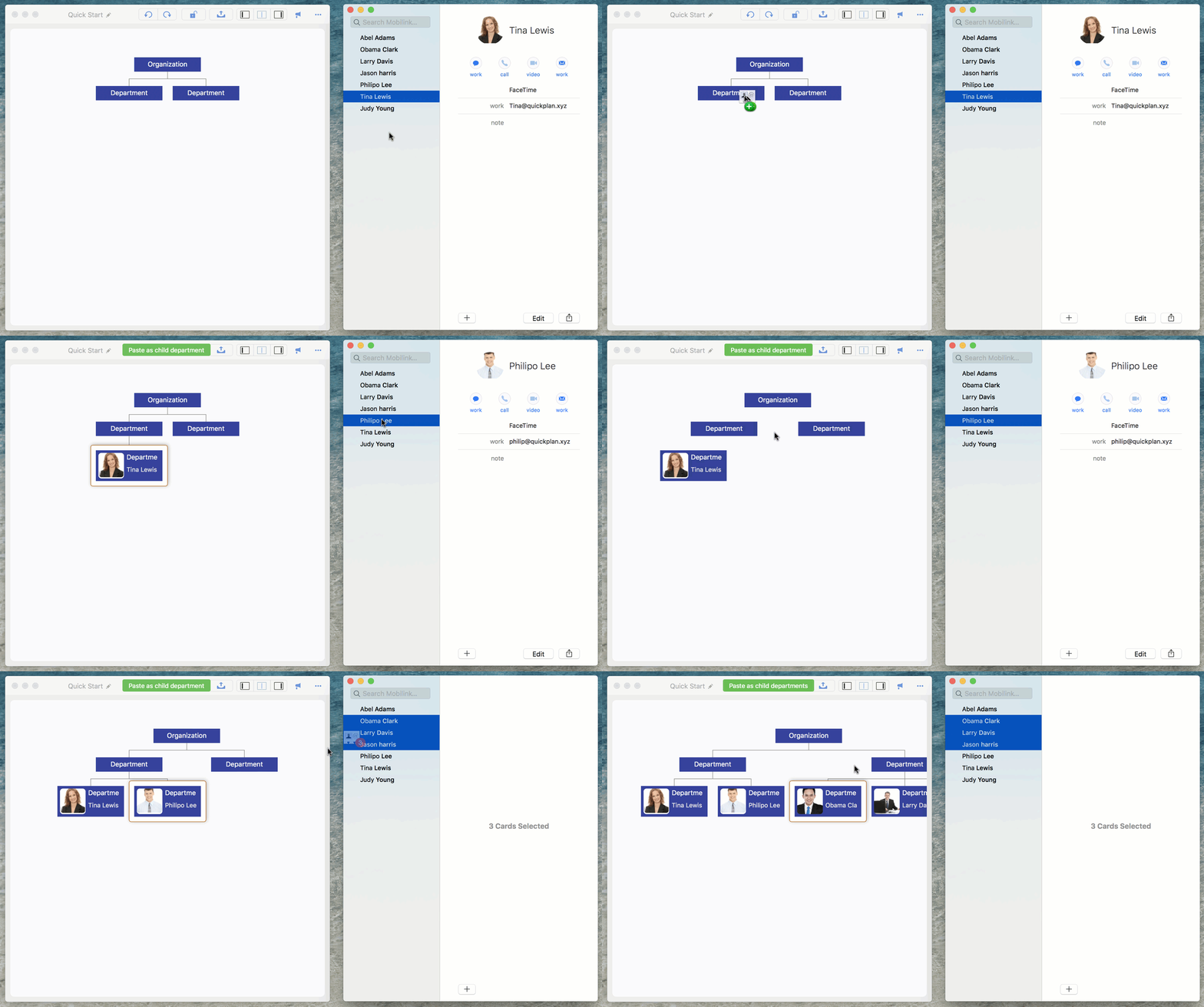
Drag from the macOS Contacts app
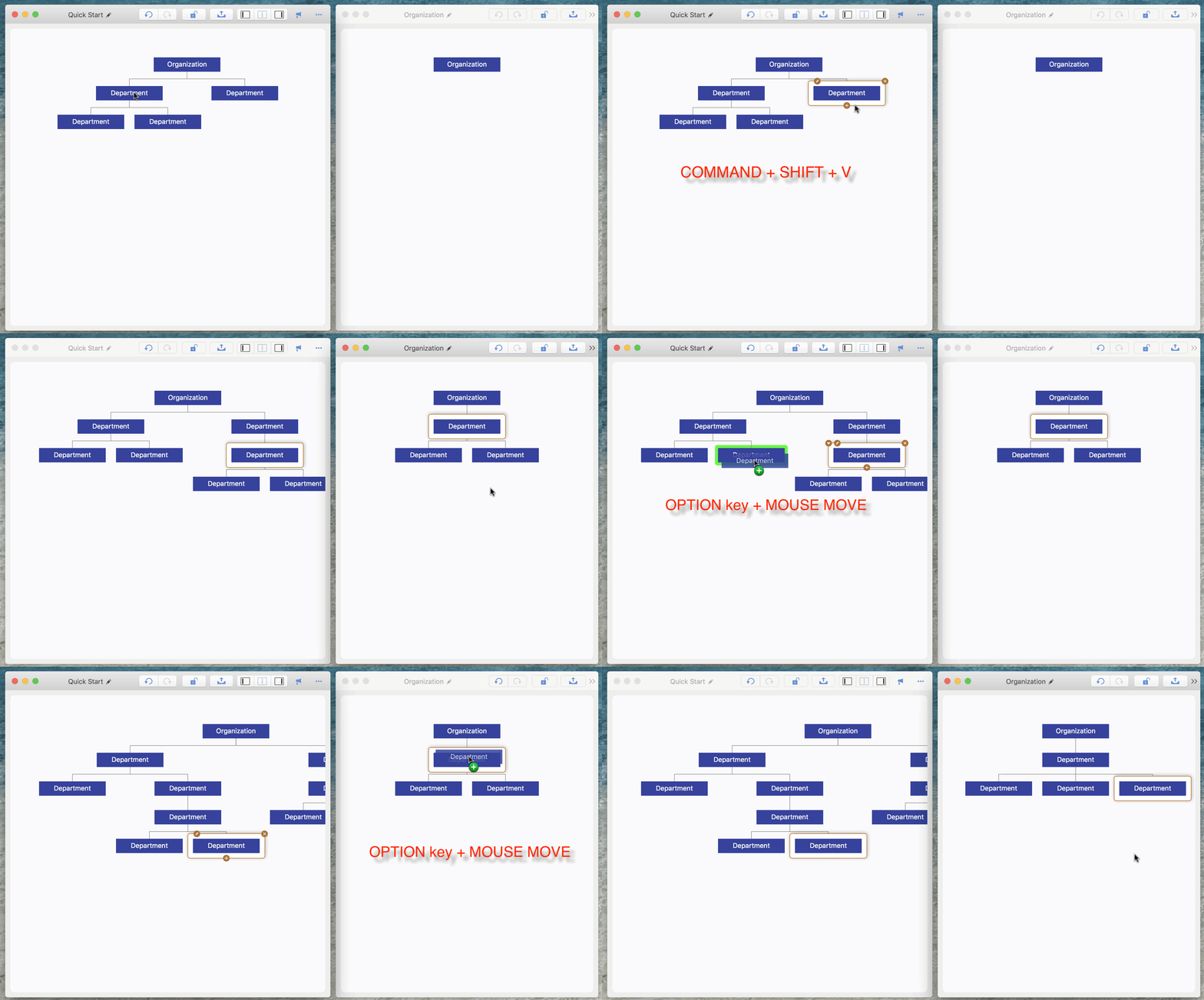
Copy/Paste and Drag/Drop within the app
OrgChart supports copying departments within the same organization window or across multiple organization windows.
2026 © COPYRIGHT SWIFT APPS | All Rights Reserved
Swift Apps